
VSCode-Azure DevOps Integration Extension
Gains: this was my first experience with front-end and back-end programming, and I learned how they work together. In addition, it was my first time participating in a project with more than 10 collaborators, and I got to experience program management with Azure DevOps. It allows us to assign team members to individual tasks and update progress. I was also one of the project leaders. In fact, many team members were busy with coursework or applying for PhD abroad, so participation was not very high. Nevertheless, I actively encouraged most of them to take part and communicated with team members in time. When someone faced challenges, I tried to sought help from more experienced team members and tried to find solutions; and when there was progress, I made sure to provide positive feedback and encourage them.
Background
Our team were asked to develop a VSCode extension, to enable pull request (PR) management with Azure DevOps projects.
VSCode offers a wide range of APIs for extension development. The most relavant APIs allow us to add new sidebar tabs, and create new webviews to display content similar to web pages. Below is the layout of the VSCode.
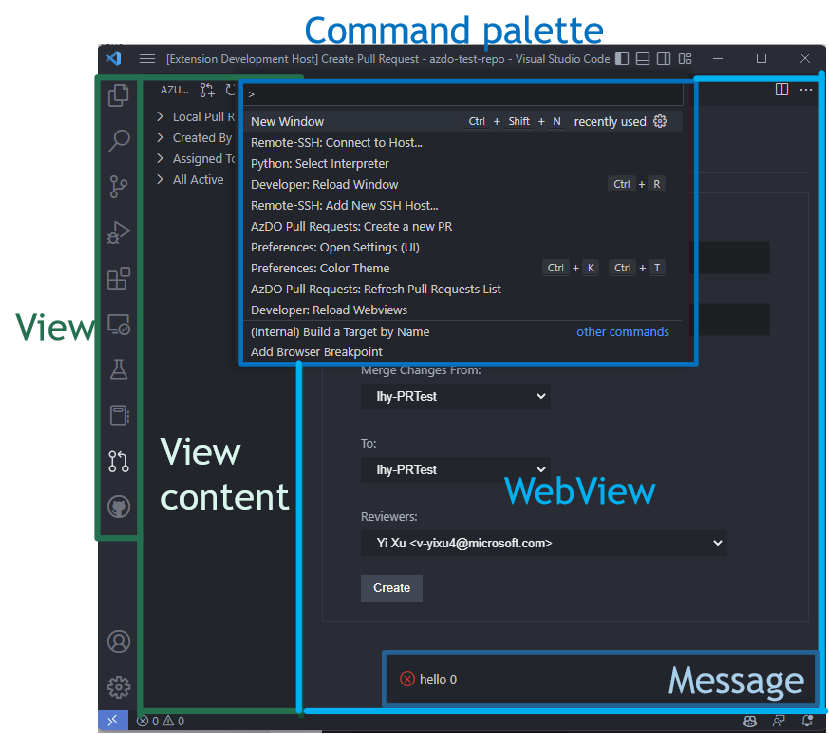
VSCode has already had an extension which manages PRs with GitHub repositories. What we need is to manage PRs on repositories from Azure DevOps. Thus, we can fork the former extension, and get data from Azure DevOps, and figure out to display them in a new WebView page.
Our extension’s features
Our extension allows users to:
- Login Azure DevOps with credentials (Personal Access Token)
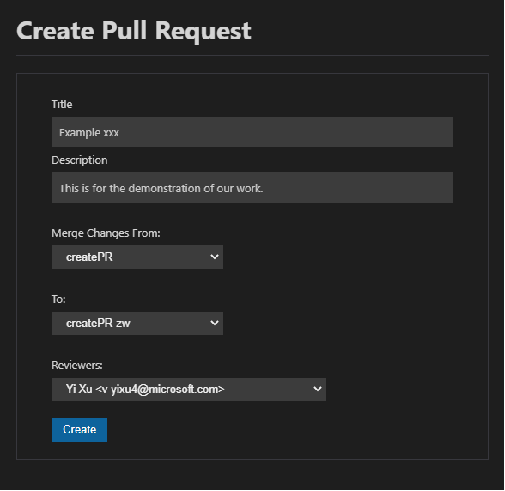
- PR management in VSCode: create, display and complete PRs
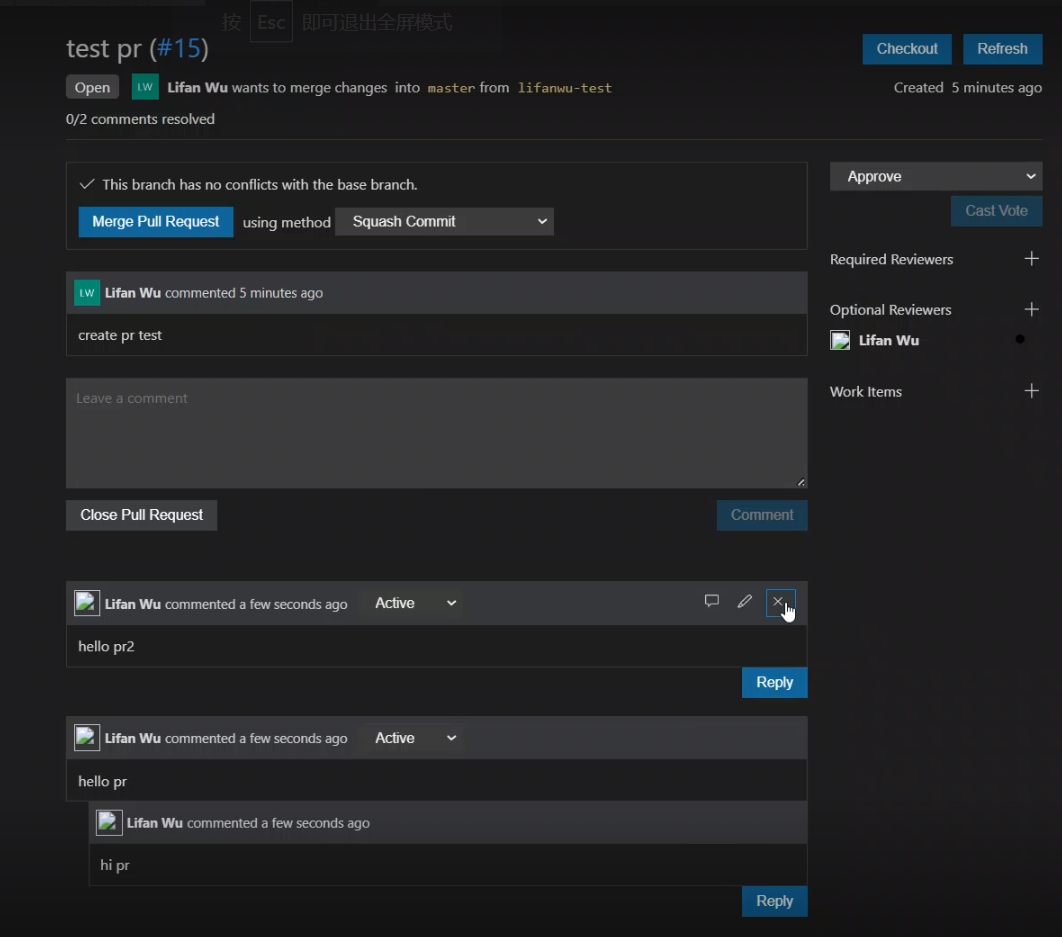
- Comment management: add, cancel and delete comments
- Show users’ avatar in the PR description board
- Mention users in the comments
| Create pull request | Comment management |
|---|---|
 |  |
Create PR
Along with two other students, I implemented the core functionalities of this feature, so I will now describe the main techniques we used in detail.
We first observed the create-PR-page on Azure DevOps and VSCode’s extension for GitHub, and found that in order to merge from branch A to branch B, they both require information including: branch names, PR message’s title, description about this new PR, reviewers, and Create button.
Therefore, on the backend side, we got the above data from Azure DevOps; and on the frontend side, we activated WebView (a new page) from View (buttons on the side bar), and then displayed selection buttons, input areas, and Create buttons for the users, in HTML style. After the Create button was clicked, we let the change take effect on the backend side.